

Tosca can be integrated with any CI/CD Tool in a similar Way
Distributed execution in Tosca: Distributed Execution in Tosca is used to send test events with Execution Lists to the Tosca Distribution Server.
The Tosca Distribution server distributes Execution Lists among several free agents (clients) to execute them. Or, it puts them into a queue until an agent is available.
Pre-requisites:
Here is an additional Youtube link: https://www.youtube.com/watch?v=MlvNXFdPhB8
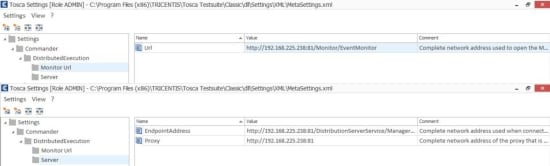
Step 1
Perform the below settings under Tosca Commander:

Step 2
Navigate to the below path:
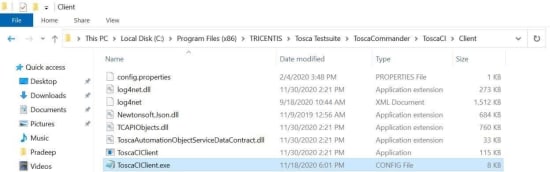
Open file ToscaCIClient.exe in a notepad.
Replace the below-highlighted code with the code given in the Binding screenshot.
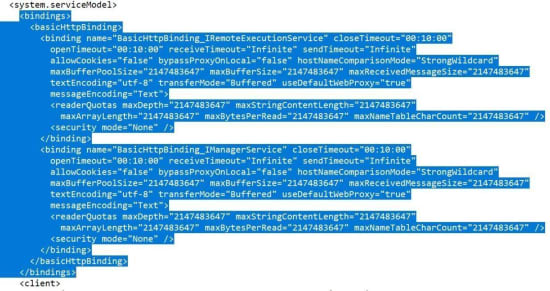
Binding screenshot

Replace the Local host with the servers IP:

Step 3: Do the below steps in all the VMS
Path:
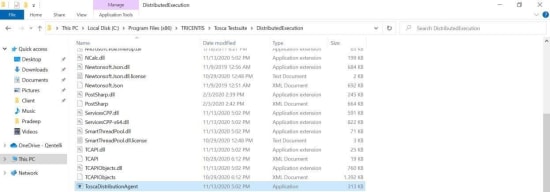
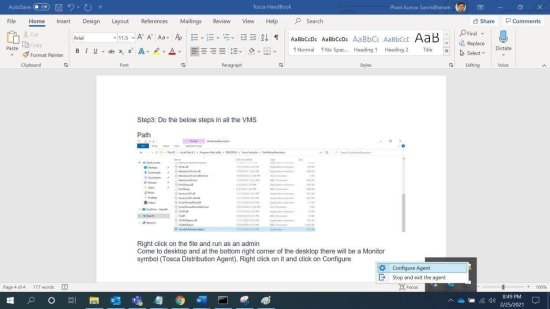
Right-click on the file and run as an admin.
Come to the desktop and at the bottom right corner of the desktop, there will be a Monitor symbol (Tosca Distribution Agent), Right-click on it and click on Configure Agent.
Do the settings in the "connect to the server" section.
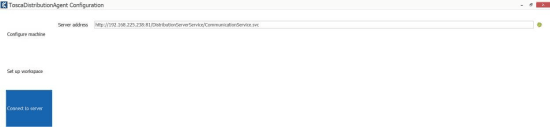
Tosca Workspace path

If we are using the Remote or virtual machines, please provide the Usernames and passwords in the below section and click on save.
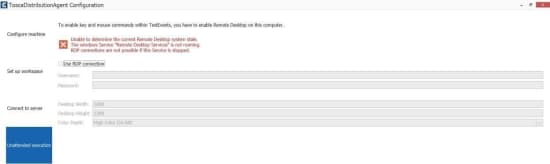
Check 1
The Agent has to turn Green now
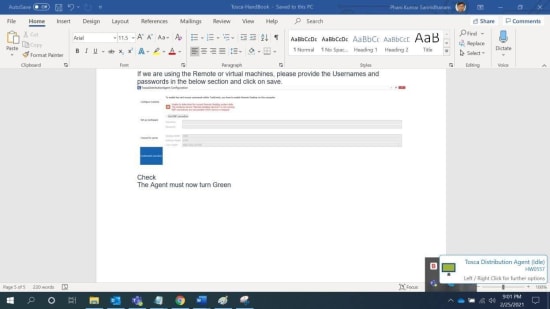
Check 2
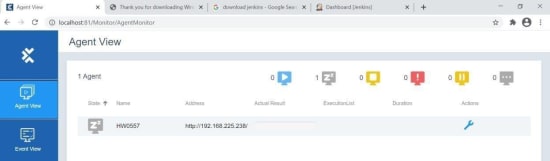
Open the server in Chrome and the user must see the agent in the agent view
Step 4:
Trigger an event in Tosca.
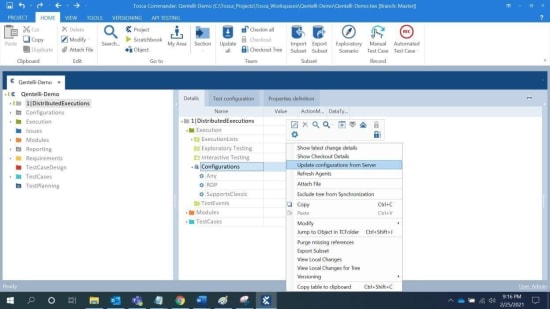
Open Tosca commander and navigate into the Configurations.
Right-click on configurations and select “Update configurations from server”.
Right-click on configurations and select “Refresh Agents”.
Check:
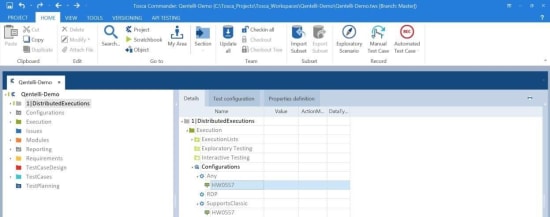
Under Any and Under Support classic we must have our agent machines in Green
Step 5
Check out the Test events.
Create a new test event and rename.
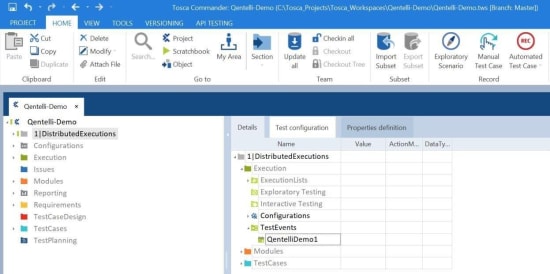
Drag and drop the execution lists into the test event.
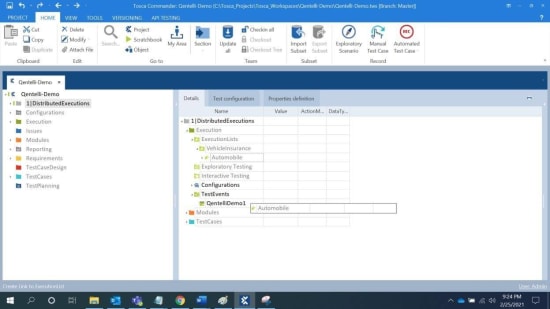
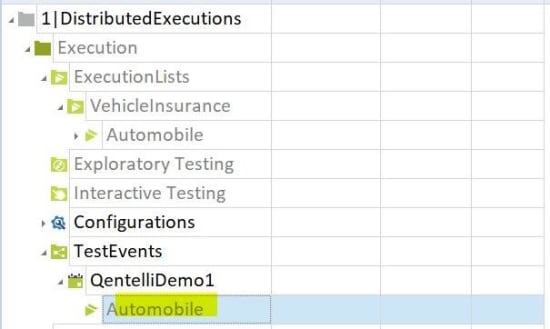
Step 6:
Configure results.
Step 7:
- Login to Jenkins
- Click on New item

Enter an event name, select free style project and click in OK
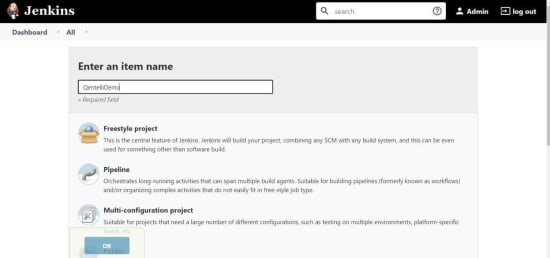
Give the description and select the Add build step.
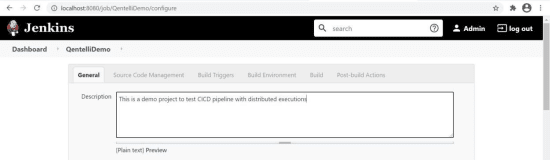

Select Execute Windows batch command
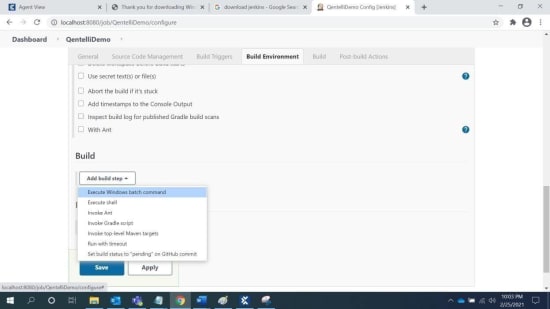
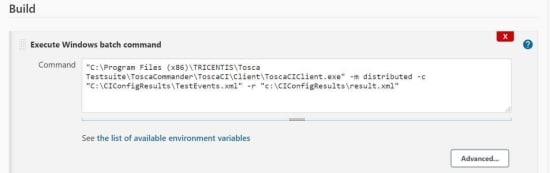
Enter the batch command as shown below and click on Save.
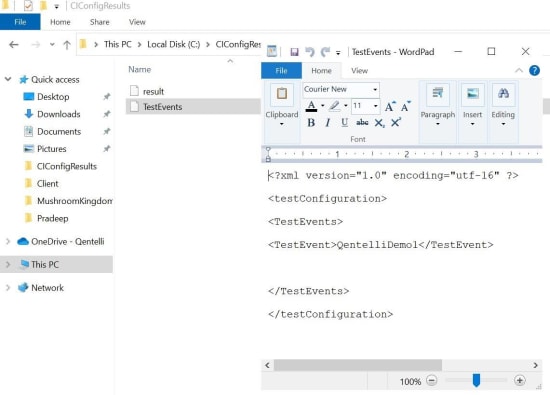
Configure the Test event parameter file (in the C drive) as shown below:
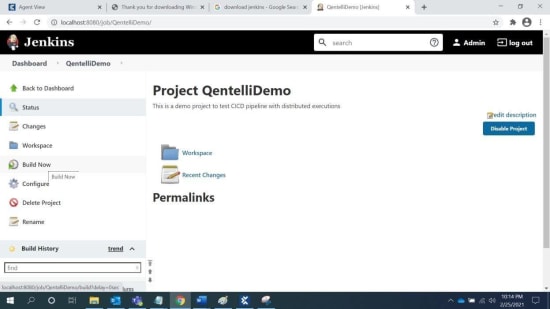
Return to the home page, select the project and Click on build now.







Thanks, @Aditya Chakradhar Nanduri for your article.
Hi @Nigel Powell, @Mangesh pangrekar, @Vinayak Bandewar, @reviewer1183092, @Roberto Forlani, @Test Process Consultant and @gagneet,
As hands-on users of Tricentis Tosca, any inputs about the suggested solution?
Thanks!
This article will help in integrating Tricentis Tosca with Jenkins (or any CI/CD tool).
Please go through the described steps to achieve it.