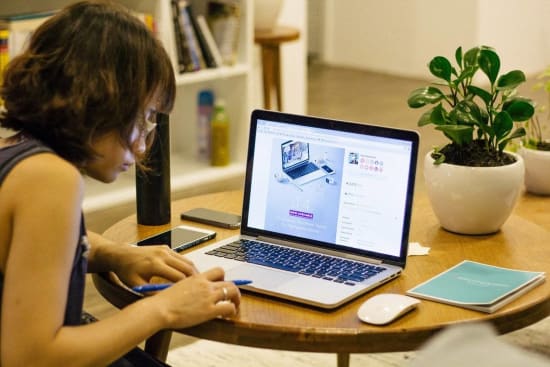
In this article, I want to talk about the practical issues of implementing secure remote access as well as what is happening in the market, how regulators affect teleworking, and whether it is necessary to monitor employees who work from home.
In the spring of last year, organizations operating in all industries, regardless of their size, faced an unexpected problem - the need to redesign their business processes to embrace the COVID-19 challenges. One of the key tasks was the transfer of employees to remote work. A year after the pandemic outbreak, a significant portion of the staff of public and private companies are still working remotely. Let us figure out what kind of problems the information security specialists faced in the spring of 2020, what solutions were found, and how to provide secure access for remote employees to corporate resources.
The current situation in the field of secure remote access
Employees of IT companies have long practiced remote work. The key feature of the current situation is the scale that this phenomenon has acquired. Among those who started working from home, there were many people whose responsibilities are far from the realm of internet technologies and information security. This is the main challenge that everyone saw.
If the company practiced remote work (at least partially) before the pandemic, the new conditions did not shock it. Most of these firms have found a way to provide their employees with corporate devices for work. Companies that had to rebuild their business processes in an emergency mode, at the initial stage, often used employees' home computers for remote access.
Home computers are often poorly performing and have a hard time completing all tasks in a timely manner. Adding multiple security solutions sometimes led to a greater slowdown in business processes and a spike in help desk requests.
The massive transition of employees to remote work led to the blurring of the protection perimeter. VPN access to corporate resources using a personal computer can become an additional attack point if hackers manage to compromise the user's device. Currently, the “Antivirus + VPN” bundle is not enough to ensure the security of remote access.
At the initial stage of the pandemic, maintaining the operability of the business was crucial, and information security issues were moved to the background. In the case of remote work, the user's network infrastructure - a router with unpatched software and poor passwords can become a weak link and provide an entry point for cybercriminals.
An organization can improve the safety of remote workers not only with technical measures but also with organizational ones. This is particularly important if you have limited budgets. Special instructions, training, and policies related to safe distant work increase the level of security.
How to set up secure remote access
Let us talk about the practical aspects of building secure remote access.
The classic solution for organizing secure remote access is VPN and multifactor authentication. Many companies simply scaled this bundle in the face of a massive transition to teleworking. Today, we see that systems for controlling the actions of privileged users are gaining popularity. Among large companies, DLP systems are extremely popular.
Identity and authentication protection solutions will work more effectively if used with biometric data as a second factor.
For users who work with their own devices, it is advised to use special Live USBs - removable media from which the trusted OS and trusted VPN get loaded.
In addition, security experts note that Secure Access Service Edge (SASE) solutions that provide all the means of protecting the perimeter from the cloud can be successfully used.
Part of the corporate infrastructure can also be transferred to the cloud, allowing employees who work from home to access only the necessary applications, avoiding the need to give them access to the entire organization's network.
If we talk about a specific algorithm for transferring a company to remote work, then first, it is necessary to determine who needs to be protected and under what conditions. Specific remote access tools depend on the employee's duties and the importance of the information which he works with. This is superimposed on the limited time and resources available in the organization, for example, the number of information security specialists.
From the point of view of secure remote access, all employees of the company can be divided into several groups:
Users can be differentiated by the level of trust, and based on it, you can choose measures to protect data that will be used.
How to manage remote access
It is important not only to collect information in order to control the activities of the employee but also to monitor the abnormal activity of all devices and systems in terms of information security. New information security risks constantly appear. Not only remote workplaces face the risk of being compromised, but also employees. Unlike in an office environment, a laptop can be stolen, or an employee can act under duress. Behavioral analysis can help identify abnormal activity and block suspicious connections.
In a blurred perimeter, endpoints are the easiest infrastructure items for an attacker to penetrate. Therefore, it is precisely the protection of endpoints that needs to be paid special attention when building remote access. One of the tools that will make life easier for information security specialists when transferring employees to remote work is a remote administration tool that allows you to remotely solve many technical problems and monitor the operation of the device.
In some cases, it is impossible to comply with all regulations if most workers are transferred to the remote work mode. In particular, any work with cryptographic information protection tools at home is difficult. In this regard, companies face additional compliance risks.
Secure remote access market prospects
Many tech problems of organizing mass remote access are steadily fading away. According to security experts, in the near future, there will be a trend for monitoring employees’ work, controlling the use of working time, understanding what exactly employees are doing.
In the future, the role of DLP systems should increase, especially for government organizations since many businesses already started to use such solutions.
More attention will be paid to the control of local files. Companies will increasingly use DSS systems to monitor the life cycle of a document and understand what an employee has done to the document. Image uniqueness tools can be used to avoid data leakage through screen capture.
The management of remote workplaces will become very important. According to forecasts, the market will demand a system that will allow the centralized collection of data from many geographically distributed user devices and, on the contrary, centrally distribute security updates.
Biometrics will become more popular in two-factor authentication solutions.
The pandemic has forced companies to expose services that cybercriminals had previously been unable to access. There are more opportunities now for deferred attacks when a compromised computer returning from home to office is connected to the corporate network.
In general, now we face a situation where the perimeter is turned inside out. Before the COVID-19, the endpoints were hidden behind a firewall, but now the employees' devices are outside the perimeter. Besides, employees’ entire digital footprint can be seen by anybody
Conclusion
The market for remote access solutions experienced sharp growth in the spring of last year. After the outbreak of the pandemic, organizations had to urgently seek means to support their changed business processes. In such conditions, security issues often were moved to the background. Since then, the situation has stabilized, and most companies have implemented basic systems for protecting remote employees' access to corporate resources. The practice of telecommuting is unlikely to disappear in the future, which means that solutions to ensure the safety of remote access will evolve. Gradually, the security systems will be improved, adding new functions. It is possible that new classes of products will appear too.