We use the solution for security.
An easy-to-use and set-up cloud solution for security
Pros and Cons
- "The tool is easy to use and set up."
- "The product has a reasonably high pricing."
What is our primary use case?
What is most valuable?
The tool is easy to use and set up.
What needs improvement?
Harmony Connect has two components: one for accessing the internet and the other for accessing the corporate network. The Access intelligence lab is particularly useful because it eliminates the need to purchase a separate firewall for the branch office. Instead, you can connect the Check Point VPN, providing you with Check Point Harmony Connect firewall functionality for monitoring traffic.
The setup is easy, but it depends on the router configuration. The router configuration, in turn, will depend on the specific releases. The configuration could be improved.
For how long have I used the solution?
I have been using Check Point Harmony Connect for two to three years.
Buyer's Guide
Check Point Harmony SASE (formerly Perimeter 81)
September 2026
Learn what your peers think about Check Point Harmony SASE (formerly Perimeter 81). Get advice and tips from experienced pros sharing their opinions. Updated: September 2026.
914,109 professionals have used our research since 2012.
What do I think about the stability of the solution?
The product is stable.
What do I think about the scalability of the solution?
What are your impressions of the scalability of this solution?
The solution is scalable.
Which solution did I use previously and why did I switch?
Since I trust the Check Point security, I trust Harmony Connect.
How was the initial setup?
The initial setup is easy and may take a half hour to complete if you’ve experience.
I rate the initial setup a ten out of ten, where one is difficult and ten is easy.
What's my experience with pricing, setup cost, and licensing?
The product has a reasonably high pricing.
What other advice do I have?
Overall, I rate the solution an eight out of ten.
Which deployment model are you using for this solution?
Public Cloud
If public cloud, private cloud, or hybrid cloud, which cloud provider do you use?
Disclosure: My company has a business relationship with this vendor other than being a customer. reseller
Program Manager at CommVault
Intuitive interface, straightforward to set up and ensures secure access
Pros and Cons
- "The ease of use not only translates to quick adoption rates - it also ensures that our employees remain compliant with our cybersecurity protocols, enhancing the overall security posture of our organization."
- "Offering in-app explanations detailing what each feature does, its benefits and potential use cases can help users better understand and utilize the tool to its full potential."
What is our primary use case?
Our company operates within the intricate and highly regulated insurance market. Here, the sanctity of data is paramount and any breach could result in significant consequences for our stakeholders.
Given the sensitive nature of our data and the frequent exchange of confidential information with our clients and partners, having a secure connection at all times is non-negotiable.
Perimeter 81 has emerged as a linchpin in our cybersecurity strategy. Whether our employees are working from the confines of our fortified office infrastructure or accessing systems remotely, Perimeter 81 ensures that our data remains secure.
Its robust architecture dovetails seamlessly with our existing IT infrastructure, offering us peace of mind in an environment increasingly characterized by cyber threats.
How has it helped my organization?
Adopting Perimeter 81 has yielded noticeable improvements in our organization, especially in the realm of user experience. It's no secret that some cybersecurity tools can be daunting for users, especially those who aren't inherently tech-savvy.
However, Perimeter 81’s interface is intuitive, and its setup is straightforward. This has reduced the learning curve for our employees substantially. The ease of use not only translates to quick adoption rates - it also ensures that our employees remain compliant with our cybersecurity protocols, enhancing the overall security posture of our organization.
What is most valuable?
While the entirety of Perimeter 81's suite is commendable, the quick access LAN feature stands out as a particular favorite in our organization. The ability to swiftly and securely access our local area network without cumbersome processes or technical hitches is invaluable.
This feature not only boosts productivity by ensuring uninterrupted access to essential resources; it also buttresses our cybersecurity measures by ensuring that this access is always secure. The competitors of Perimeter 81 can learn a thing or two.
What needs improvement?
While Perimeter 81 has proven to be an invaluable asset, there's always room for improvement. A focus on catering to non-tech users even further would be beneficial. Offering in-app explanations detailing what each feature does, its benefits and potential use cases can help users better understand and utilize the tool to its full potential.
Moreover, integrating interactive tutorials or walkthroughs for new features in future releases could provide users with hands-on guidance, further simplifying their experience.
For how long have I used the solution?
I've used the solution for six to 12 months.
What do I think about the stability of the solution?
I've never had any issues whatsoever, so the stability is very strong.
What do I think about the scalability of the solution?
The solution is easily scalable for both small and medium-sized organizations.
How are customer service and support?
I haven't yet had to reach out to Perimeters' customer service and support.
How would you rate customer service and support?
Neutral
Which solution did I use previously and why did I switch?
No, we didn't use any similar solution before Perimeter 81.
How was the initial setup?
The initial setup is very easy and straightforward, even for non-tech users.
What about the implementation team?
We used a vendor team with a high level of expertise. They could help us quickly and answered all our questions.
Which other solutions did I evaluate?
I wasn't personally part of the decision, however, I know that our choice was made after a thorough evaluation process comparing different competitors.
Which deployment model are you using for this solution?
Private Cloud
Disclosure: My company does not have a business relationship with this vendor other than being a customer.
Buyer's Guide
Check Point Harmony SASE (formerly Perimeter 81)
September 2026
Learn what your peers think about Check Point Harmony SASE (formerly Perimeter 81). Get advice and tips from experienced pros sharing their opinions. Updated: September 2026.
914,109 professionals have used our research since 2012.
Founder at Softnetx
Along with an excellent UI, the solution also provides a good UX
Pros and Cons
- "Check Point provides high-quality technical support. The support was pretty quick."
- "Automation and scalability are areas where the solution lacks and needs to improve."
What is our primary use case?
Regarding use cases, I can say that the solution's user experience is very good. Also, the solution's UI is excellent. In general, we use it for SASE use cases, and to access VPN, ZTNA etcetera.
What is most valuable?
I am working on automation upstream for Harmony Connect Check Point. There are a bunch of integrations like RDP integrations and active directory integration. Also, its security policy management is seamless.
What needs improvement?
Automation and scalability are areas where the solution lacks and needs to improve.
For how long have I used the solution?
I have been using Check Point Harmony ConnectCheck Point Harmony Connect for a year. My company has a partnership with Check Point. Also, I don't remember the version of the solution I am using.
What do I think about the stability of the solution?
The stability of the solution is not bad. Stability-wise, I rate the solution an eight out of ten.
What do I think about the scalability of the solution?
There are a lot of hidden features, so I can't really give you a rating. We are working on it, so it is a work in progress.
The scalability of the tool is pretty good. However, we need to do some work on it to improve it. Scalability-wise, I rate the solution a six or seven out of ten.
In the next release of the solution, I would like to see more automation features.
The number of users using the solution depends and varies from client to client. It can scale from a small and simple number of 20 to 30 users to almost 10,000. It could be more than 10,000 users. However, it could be more from other partners.
How are customer service and support?
Check Point provides high-quality technical support. The support was pretty quick. I rate the technical support a nine out of ten.
How would you rate customer service and support?
Positive
Which solution did I use previously and why did I switch?
I have been out of Cisco domain for quite some time since I used it in my previous company. I am not using high-end Cisco technologies anymore. However, I may use it in the future.
How was the initial setup?
I rate the setup phase an eight on a scale of one to ten, where one is difficult, and ten is an easy setup. Also, it's hard to generalize since it depends on what we have to do.
The solution is deployed on the cloud.
The initial deployment was done using Check Point's UI for us, so it was five hours.
Regarding the steps for deployment, I would say that there is a deployment software that you have to onboard. Then, you have to do the initial registration, and once you do the initial registration, you'll have to integrate Azure. After Azure is integrated, you have to deploy the users for the applications.
What's my experience with pricing, setup cost, and licensing?
Regarding pricing, I can say that the more the number of users, the less they have to pay.
What other advice do I have?
I would tell others planning to use the solution that the solution has simplicity and good UX. Also, people will have to wait for future automation rollouts.
I rate the overall solution a nine out of ten.
If public cloud, private cloud, or hybrid cloud, which cloud provider do you use?
Microsoft Azure
Disclosure: My company has a business relationship with this vendor other than being a customer. partner
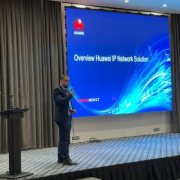
Huawei IP Pre-sales Solution Manager at MC3
Highly scalable and unique advantage of SD-WAN
Pros and Cons
- "SD-WAN is one of the primary solutions offered by Perimeter 81."
- "One of our challenges is ensuring the security of our cloud-based operations."
What is our primary use case?
I use Perimeter 81 primarily for VPN connections and work and home banking. Additionally, I use it for some oil and gas applications. You should also consider using it for SD-WAN solutions. In fact, SD-WAN is one of the primary solutions offered by Perimeter 81.
In order to minimize costs, you can use a zero-trust security model. We also use VPN to interconnect many branches, for example, here in Nigeria, for an operator in the oil and gas industry. We have a high frequency in our network.
What is most valuable?
For us, SD-WAN is the most valuable feature. They provide a unique advantage for banking purposes and are also different from other solutions. VPN is good for security.
What needs improvement?
One of our challenges is ensuring the security of our cloud-based operations. We place a high priority on security and take measures to protect our data. We avoid using public cloud services and instead rely on data centers to collect data for both small and large branches.
In the next release, I would like to see more improvement in security capabilities.
For how long have I used the solution?
I have been using Perimeter 81 for ten years. I am working with the latest version.
What do I think about the stability of the solution?
It is a very stable solution. It efficiently ensures security. We also use VPN to touch cloud and ensure secure information. However, for a specific company, we may need to improve security. The code is updated biweekly.
What do I think about the scalability of the solution?
The scalability of Perimeter 81 depends on your equipment and routers. Different solutions may require different approaches. It is also a PLS to control.
How are customer service and support?
The customer service was good. We needed to make some configurations, and it was the same as with other providers because it's a solution we use.
How was the initial setup?
The initial setup is easy. The deployment process is different for each project, and it depends on the project's scope, such as the type of network and the kind of project. If you use IP and POS, it's different from if you don't use them.
What about the implementation team?
It's possible to implement it in-house, or we can get some help. As for the technical aspects, we have six people who are required for the deployment and maintenance. We plan to increase the number of users for Permieter 81 in our company.
What was our ROI?
The system should think about how to maximize the ROI and minimize the OpEx cost for the customer. When you use a good solution, you can decrease your supply costs, increase engineering, reduce repair costs, and increase product stability. It's a win-win solution where the customer wins, and you win.
What other advice do I have?
I would definitely recommend using Perimeter 81. Overall, I would rate the product a nine out of ten, but I would like to improve its security.
Disclosure: My company does not have a business relationship with this vendor other than being a customer.
Sales Manager, Checkpoint at South Asian Technologies
Very agile with a granular level of control over users
Pros and Cons
- "The solution offers both client and clientless versions for good remote access."
- "The solution requires you to buy a minimum of 50 licenses and that is not practical."
What is our primary use case?
Our company installed the solution locally to test it and gain user experience. In the future, we plan to sell the solution to customers.
The solution provides internet access, network access, and security. Both on-premises and cloud versions are available.
Initially, we installed the on-premises version but are now testing the cloud version.
What is most valuable?
The solution offers both client and clientless versions for good remote access. We don't like to give our credentials to BYOD devices, non-permanent cadres, or contractors so having two remote access options is a huge benefit.
There is a granular level of control over users with regard to internet or network access. The virtual firewalls for remote connectivity are almost like having a firewall in-house.
The solution is an agile product with very good technology.
What needs improvement?
The solution requires you to buy a minimum of 50 licenses and that is not practical.
For how long have I used the solution?
I have been using the solution for five months.
What do I think about the stability of the solution?
The solution is stable so I rate stability a ten out of ten.
What do I think about the scalability of the solution?
The solution is scalable so I rate scalability a ten out of ten.
Which solution did I use previously and why did I switch?
I have been selling Check Point firewalls for four years. Previously, I sold Fortinet.
I am happier with the solution because my customers are giving me very good feedback.
How was the initial setup?
The setup is easy so I rate it a ten out of ten.
What about the implementation team?
We implemented the solution in-house. We set up our Active Directory and our admin sent the docker through email. We clicked the docker, installed it, and received connection to the solution.
It took about four months for rollout to all of our our engineers and salespeople.
What's my experience with pricing, setup cost, and licensing?
I am not very happy about the pricing because the solution requires you to buy a minimum of 50 licenses. Annual licenses cost $30 to $40 each.
The pricing is not practical in Sri Lanka because we have small customers who need only 10 to 20 licenses. There should be packages for 10, 20, and even 30 licenses.
Which other solutions did I evaluate?
In Sri Lanka, there is a lot of competition with endpoint or process solutions. I think the solution is going to be a very good brand in the near future because we have been promoting it and most of our customers want to buy it.
What other advice do I have?
The solution provides a secure tunnel for controlling users while maintaining stability. Security is an important component because you need to prevent hacks and issues with data accessibility. Without a secure tunnel, someone might get into your networks, take credentials or databases, and destroy your data centers.
The solution is fast and provides 100% security, especially for remote users.
I rate the solution a ten out of ten.
Which deployment model are you using for this solution?
Public Cloud
If public cloud, private cloud, or hybrid cloud, which cloud provider do you use?
Other
Disclosure: My company has a business relationship with this vendor other than being a customer. Partner
Business Development Sales Engineer at Orca Tech
Simple, easy to manage policies, and offers good reports
Pros and Cons
- "The reports give a simple overview of the traffic pattern within the organization."
- "Setup is a breeze; you key in the target user's email, and the rest is a click away."
- "Branding could be better."
What is our primary use case?
The solution is predominantly used for Internet access when mobile. In the office, we have already deployed a Quantum Spark appliance, and this was focused on mobile users.
We don't have on-premise applications or servers, so there is no use case for Remote access. However, we were keen to try it out from an evaluation perspective by bridging to the existing Check Point gateway at the site.
Simplicity was needed, and importantly, we wanted something to not be too intrusive to mobile users. The interface has a few simple options, and it makes it easier.
How has it helped my organization?
We believe in defense in depth, and Harmony connect SASE adds another layer of protection for internet access.
We have already deployed the entire Harmony suite, from Email & Collab protection to Harmony Endpoint. This adds a layer on top. Being a mobile user, securing Internet access was very important, and the product's pricing was simple enough and unlike other multiple add-ons on top of the base products from other vendors.
The reports give a simple overview of the traffic pattern within the organization. Though we don't use it to track user productivity, we can if necessary. There are reports specific to SaaS applications as well, which do come in handy.
What is most valuable?
The simplicity is good. It's good for consolidating security and being manageable from the Infinity portal with other Harmony solutions and makes management easy. We can use this instead of managing multiple-point solutions. It has a unified policy for private and internet access, making it easier to manage policies.
The weekly reports have been informative as well. We are also keen on trying clientless access to provide restricted access to applications for third-party users.
Deployment was a breeze. We just key in the target users' email, and the rest is easy.
What needs improvement?
Branding could be better. Not many Check Point users realize there is a SASE offering at all. Policies could have layers as they do with their Firewalls, though I understand that's more of a functionality within the Smart dashboard. The threat prevention profiles like IPS, file, and URL protections could have more fine-tuning options.
Though all the policies are managed from the Infinity portal, we still have to manually configure different solutions. It would be nice to know how the new XDR option will bridge this gap.
Also, for Multi-factor authentication, there was an option for G-auth. However, I'm not sure about other forms of authentication they offer in their gateways. Bringing the backend closer to the gateway management would make it more granular.
For how long have I used the solution?
I've been using Harmony Connect for more than three months now.
What do I think about the stability of the solution?
We haven't had any glitches or issues with it at all. It's very transparent to the user.
What do I think about the scalability of the solution?
It's very scalable and easy to deploy. It's scalable with users and it's scalable with the existing CP gateway deployments as well. There isn't much information on how it integrates with other end-point solutions. We had a full Check Point environment and it was clean.
How are customer service and support?
We haven't run into any issues so far. We did need some assistance during the initial policy configuration, and the Check Point solutions team was there to assist.
How would you rate customer service and support?
Positive
Which solution did I use previously and why did I switch?
We did not use any other SASE offering before.
How was the initial setup?
It's a simple setup; we just key in the end user's email address and it sends an invite to download the client.
What about the implementation team?
We implemented it in-house with the assistance of Check Point's solutions team.
What was our ROI?
The ROI is better than using a traditional VPN to connect back to the office gateway. We needed something that was light and transparent without the hassle of having to connect manually. We aren't planning to remove the gateway yet, however, in the long run, we will consider it, and that should negate the gateway costs.
What's my experience with pricing, setup cost, and licensing?
Setup is a breeze. You key in the target user's email, and the rest is a click away. Pricing is competitive compared to the top players in the SASE market.
Also, there is no concept of add-ons which makes it easier.
Licensing with a minimum of 50 users could be a show-stopper for smaller organizations. However, a small company has probably got to do it with the infra in the backend to make it worthwhile.
Which other solutions did I evaluate?
Since we were keen on consolidating, we did not focus on multiple options.
What other advice do I have?
The product seems to be transparent to the users. It lacks application segmentation options which some competitors offer.
Which deployment model are you using for this solution?
On-premises
Disclosure: My company has a business relationship with this vendor other than being a customer. We are Checkpoint Distributor as well but the comments are based on my experience with the product.
Director at esupport Solutions Pvt ltd
Easy-to-deploy VPN connectivity for the enterprise, and ideal for remote workforces
Pros and Cons
- "What I like about Harmony Connect is that every packet through the network is screened and filtered so that only clean packets can enter the PC. This is useful for a variety of security reasons because you no longer need to worry about things like DDoS attacks."
- "Harmony Connect is very stable and its performance is good in the production environment."
- "The main problem with Harmony Connect is that, because it's in a new category of offerings by Check Point, there's very little marketing of the product so far, and this means that many potential users don't even know this kind of solution is available. There are also few testimonials or case studies talking about people who have used the product and fell in love with it, for example."
What is our primary use case?
I have experience with Check Point Harmony Connect and Harmony Endpoint, mainly in an enterprise setting for the cloud-based access control and firewall functionality. It is a good, easy-to-deploy solution that is ideal when it comes to managing access to enterprise resources for those working in a home office type of scenario.
What is most valuable?
What I like about Harmony Connect is that every packet through the network is screened and filtered so that only clean packets can enter the PC. This is useful for a variety of security reasons because you no longer need to worry about things like DDoS attacks, etc.
Nowadays a lot of people are working from a home office, and Harmony Connect is an ideal solution when it comes to remote working. Let's say there is an organization of around 100-200 people — if they are working from home, they will have a strong need for enhanced firewall and UTM functionality. In this case, the organization can simply deploy Harmony Connect and the employees will have access to secure VPN connectivity.
Another point to mention is that Harmony Connect's real advantage over other solutions is that their support is excellent and they have really awesome technical staff.
What needs improvement?
The main problem with Harmony Connect is that, because it's in a new category of offerings by Check Point, there's very little marketing of the product so far, and this means that many potential users don't even know this kind of solution is available. There are also few testimonials or case studies talking about people who have used the product and fell in love with it, for example.
The second area in which they could improve is the performance of their management portal. For the end user of Harmony Connect, the performance is great and lightweight, but there is often some slowness when using the management portal as an administrator.
For how long have I used the solution?
I have six months of experience with Harmony Connect.
What do I think about the stability of the solution?
Harmony Connect is very stable and its performance is good in the production environment. One of my customers has been using it for six months so far and no issues have been found.
What do I think about the scalability of the solution?
It's a cloud offering so it scales nicely. I don't know about managing Harmony Connect beyond 1,000 users, but I'm not finding any difficulty with scaling because you just need to push the agent to the end user. I believe Check Point are using a major cloud provider such as Amazon, and I don't think scalability is an issue at all for them.
How are customer service and support?
The real advantage of Harmony Connect is their support team. They are excellent, and their technical guys are really awesome. If there is any issue, you simply call them, and most of the time the issue will be resolved on the first call.
They are not very aggressive in their promotion of Harmony Connect, so you would expect that the support might be lacking but this is not the case. And when it comes to new feature requests, they are open to listening. If you can convince them to bring out a new feature, they will keep you updated and perhaps even connect you with their R&D team, no matter how small you might feel to them. Check Point's support team is truly one of the best.
How would you rate customer service and support?
Positive
Which solution did I use previously and why did I switch?
Earlier, we used to deal with Symantec, but lately Symantec has not been operating well in India. It is very difficult to even get quotations for the pricing, so we don't deal with them much nowadays.
How was the initial setup?
You hardly have to click more than three times and your Harmony Connect will be configured.
What about the implementation team?
The implementation for about 1,000 users is not particularly difficult. It will need a system administrator for the data, managing the security features, and maintenance, but typically two or three staff members are more than enough to handle it.
What's my experience with pricing, setup cost, and licensing?
The pricing is good, especially when you compare it to other firewall or UTM solutions from FortiGate or SonicWall, where you would have to invest about four hundred thousand rupees for 100 users over a three-year period. On top of that, for those solutions you would also need to pay for the expertise to manage the solution, including 24/7 monitoring and so on.
Which other solutions did I evaluate?
We have considered another solution called Prisma Access from Palo Alto Networks, and it may turn out that we will need that solution instead of Harmony Connect to fulfill our future ambitions, but I don't have any personal experience with it yet.
What other advice do I have?
I would rate Harmony Connect a nine out of ten.
Which deployment model are you using for this solution?
Public Cloud
Disclosure: My company has a business relationship with this vendor other than being a customer. Partner
Information Security Team Lead at Oregon State Treasury
Does not have the ability to send/merge Harmony logs, technical support isn't helpful, and there are issues with reliability
Pros and Cons
- "HTTPS decryption is a valuable service and not always found in cloud-based secure web gateways."
- "Harmony lacks this ability when anything more than a vanilla access policy is used (we use layers and source user objects in our policy which make this impossible according to Check Point)."
- "We have seen a negative return on investment"
What is our primary use case?
Our primary use case is as a Security Web Gateway for off-premises users.
We use Check Point for application control, IPS, and web filter on-premises and wanted an in-kind solution for off-prem users. The primary requirement was for the Harmony policy to be able to be managed from the same SmartConsole instance as our on-premises gateways are managed.
We wanted to be able to have one single policy, managed in one place, and for our users to have the same browsing experience whether off-prem or on-prem. It was also a primary requirement to be able to have the logs generated from Harmony merged into the same locations (SmartConsole and our SIEM) as our on-prem gateway logs go.
How has it helped my organization?
It has not improved our organization due to being unable to fully implement in the manner it was sold to us as being able to.
After attempting to use the same policy for Harmony that we use for on-prem users (managed by on-prem smartConsole), and after much time going through Check Point account reps and support, we were informed it is not possible to manage Harmony Connect policy from SmartConsole if layers or source objects (such as AD users, machines) were used.
We then were told by Check Point it would be possible to manage both policies from the same platform if we used the Management-as-a-Service Smart1Cloud smartconsole, but after further investigation, we were then later told by Check Point account executives and support that we are unable to manage Harmony policies from Smart1 Cloud, even though they are both housed in the Check Point Infinity Portal.
It is also not even possible to send our Harmony Connect logs to the Smart1Cloud portal, again - even though they are both within the Infinity portal.
What is most valuable?
HTTPS decryption is a valuable service and not always found in cloud-based secure web gateways. With as much traffic being HTTPS as opposed to HTTP these days it is very important to be able to run that traffic through all the security modules such as IPS and Application Control.
We also found the SAML integration to be useful. It is handy to be able to access the portal from anywhere in the world, though as mentioned above we are not fully implementing the product at this time due to other issues.
What needs improvement?
We want the overall ability to manage Harmony and on-prem policies from the same platform. Harmony lacks this ability when anything more than a vanilla access policy is used (we use layers and source user objects in our policy which make this impossible according to Check Point).
Also, we need the ability to send/merge Harmony logs into the same SmartConsole as our on-prem Gateways send logs to. Have been told this is not possible by Check Point. It makes it really difficult when you have to use two different platforms/portals to see logs
For how long have I used the solution?
I've used the solution for about six months.
What do I think about the stability of the solution?
I have not had any issues with stability, although we have not fully used the solution in the manner intended.
What do I think about the scalability of the solution?
I have not had any issues with cloud-based resources, so I assume it would be easily scalable.
How are customer service and support?
We have had many issues with customer support on this product.
One example: I created a support ticket for a simple issue on the product not being able to be installed on our client machines.
It took over a month to resolve with my team having to repeatedly follow up with support in order to get a result. My team eventually had to dig into the issue at a great depth ourselves and discovered the problem - it was that Check Point developers did not properly sign multiple scripts associated with installation, which would not allow it to install in our secure environment.
My team had to unpack the installer and dig around to examine the files and find the mistake in signing. The issue was then finally solved by Check Point developers in Tel Aviv.
How would you rate customer service and support?
Negative
Which solution did I use previously and why did I switch?
We previously used Check Point Cloud Capsule, which is a similar product. However, we were never happy with its performance and its Application Control objects were very out of date. Support was always hard to get on it from Check Point as well. It was also unable to be used alongside our VPN solution (Microsoft Always-On VPN).
How was the initial setup?
The initial portal setup was straightforward in that the portal is automatically provisioned.
Getting users integrated through SAML was not straightforward in that the instructions from Check Point on linking it with Azure AD were not accurate. The pre-built Enterprise Application object within Azure AD that is provided for Harmony did not work either. We had to adjust several of the settings to make it work (which were not covered by any support article).
What about the implementation team?
We handled the implementation in-house.
What was our ROI?
We have seen a negative return on investment
What's my experience with pricing, setup cost, and licensing?
Pricing and licensing seemed acceptable; we have no complaints there.
Which other solutions did I evaluate?
We also evaluated solutions from Cisco and Palo Alto.
What other advice do I have?
Users should just make sure the solution will actually do what is expected, regardless of what the company says it can do.
Which deployment model are you using for this solution?
Hybrid Cloud
If public cloud, private cloud, or hybrid cloud, which cloud provider do you use?
Microsoft Azure
Disclosure: My company does not have a business relationship with this vendor other than being a customer.
Consultant at ITQS
User-friendly, easy to install, and helps with monitoring
Pros and Cons
- "One of the most valuable features found using Harmony is being able to monitor in a simple and orderly way."
- "The support is not very good."
What is our primary use case?
It was implemented at work to be able to monitor collaborators and know what pages they are using and thus be able to take the necessary actions to block pages that are not authorized in the company and also know in which pages collaborators spend more time and be able to measure their work performance and thus be more effective in our company, on the other hand it helps a lot to improve the traffic and performance of the network, which is one of the points where it helps a lot.
Once all the security breaches of our collaborators have been detected, we can determine which options to mitigate in the company and improve security.
How has it helped my organization?
Harmony has improved the organization in being able to better monitor the use of internet bandwidth, accesses, pages, restrict pages, and allow sites, however, it has also been found that it makes machines a bit inefficient, this is because the program consumes many resources of the device where it is connected, sometimes causing slowness and starting to see many jams in the programs or processes that are being executed.
It has also been possible to determine that, for use on a Mac PC it is not very complicated to do the installation. You must have very robust equipment.
What is most valuable?
One of the most valuable features found using Harmony is being able to monitor in a simple and orderly way.
The panel configuration and agent installation on each of the machines is very practical and quickly distributed. Furthermore, all the equipment that does not have an agent installed can be viewed in the administration panel and have better control of each of the devices.
Another valuable characteristic is the configuration of reporting and information of each of the users. This report is quite complete, and it is possible to determine what actions to take in the organization and be able to present a report to high command.
What needs improvement?
One of the areas that must be improved is the ability to make the software less burdensome for the devices since they consume a lot of resources which makes it necessary to make an economic investment in the device itself such as servers, desktop laptops. that handle a relatively normal performance according to the functions it performs since, if used with a high-performance computer, Harmony behaves well and does not cause slowness.
This made us uninstall the product on several collaborating machines since the PC's performance dropped a lot. Some programs, like Teams, do not work and this causes us problems where we cannot monitor those machines.
For how long have I used the solution?
He used the product for 5 years..
What do I think about the stability of the solution?
The stability is very good, however, it harms a little of the performance of the PC.
What do I think about the scalability of the solution?
The scalability has been very good, it has helped us a lot to be able to improve our company.
How are customer service and support?
The support needs to improve lately it is very average they do not respond quickly they do not always comply with the SLA
How would you rate customer service and support?
Positive
Which solution did I use previously and why did I switch?
We did not previously use a different solution.
How was the initial setup?
Implementation is now easier since we have considerable experience using the tool.
What about the implementation team?
The installation was carried out with the tool vendor since we did not have much knowledge, today we have managed to have that learning curve and we have been able to do our own installations.
What was our ROI?
The investment in a security product will always have a return, not directly economical, but indirectly since all our information is secured.
What's my experience with pricing, setup cost, and licensing?
The cost is very accessible and the installation is very easy to implement.
Which other solutions did I evaluate?
We did not evaluate other options.
What other advice do I have?
It is very user-friendly. The panel is easy to use.
Which deployment model are you using for this solution?
Private Cloud
Disclosure: My company does not have a business relationship with this vendor other than being a customer.
Operation Director at GLOBALIP
Provides a valuable multi-factor authentication functionality and an effective feature for controlling employee access to specific applications
Pros and Cons
- "Its most effective feature is controlling employee access to specific applications. I can manage and monitor every step of the access process."
- "The platform's pricing can be an issue for smaller companies, as the cost may be higher than for larger organizations."
What is our primary use case?
The platform manages remote access by allowing employees to log into a secure portal, where they are only given access to the specific applications they are authorized to use. This access is based on an HTTPS connection, ensuring security.
What is most valuable?
All product features are valuable, but multi-factor authentication (MFA) is especially critical for securing remote work environments. Without two-factor authentication, there is a heightened risk of security breaches.
Another key feature is the ability to control the time frame for employee access to applications, allowing for greater security and control.
What needs improvement?
The platform's pricing can be an issue for smaller companies, as the cost may be higher than for larger organizations.
For how long have I used the solution?
I have been working with Check Point Quantum SASE for three years. Currently, I am providing it to three customers and implementing it for a fourth. My clients have used it for varying periods, from six months to two years.
What do I think about the stability of the solution?
The solution is very stable and requires minimal maintenance. Once configured and exposed through the portal, it generally does not present issues related to the security service itself.
What do I think about the scalability of the solution?
The product is designed to be scalable, particularly as a SASE (Secure Access Service Edge) product. Its architecture supports easy scaling and can handle increasing users without issues.
How are customer service and support?
The support is comprehensive, and the channel ecosystem effectively assists with resolving complex issues. I can escalate problems to Check Point's research and development teams for further assistance.
How would you rate customer service and support?
Positive
What was our ROI?
The return on investment typically depends on the size of the customer. Most customers find the solution's benefits outweigh the costs, and the return is usually balanced.
What's my experience with pricing, setup cost, and licensing?
The solution's pricing model may not be suitable for smaller companies, as they might find it expensive. Larger companies tend to receive more value due to many users.
What other advice do I have?
The solution's cost-effectiveness depends on the size of the business and the specific problems it needs to address.
Its most effective feature is controlling employee access to specific applications. I can manage and monitor every step of the access process.
It already comes with all the necessary features. When you purchase it, you get the full package. However, different levels of coverage are offered for endpoint solutions.
I rate it a nine out of ten.
Disclosure: My company has a business relationship with this vendor other than being a customer. Reseller
Buyer's Guide
Download our free Check Point Harmony SASE (formerly Perimeter 81) Report and get advice and tips from experienced pros
sharing their opinions.
Updated: September 2026
Product Categories
Secure Access Service Edge (SASE) Secure Web Gateways (SWG) Firewalls Anti-Malware Tools Enterprise Infrastructure VPN ZTNA as a Service ZTNAPopular Comparisons
Fortinet FortiGate
Microsoft Defender for Endpoint
SentinelOne Singularity Endpoint
Cisco Secure Firewall
Check Point Cloud Firewall (formerly CloudGuard Network Security)
Prisma Access by Palo Alto Networks
Zscaler Zero Trust Exchange Platform
Zscaler Internet Access
Buyer's Guide
Download our free Check Point Harmony SASE (formerly Perimeter 81) Report and get advice and tips from experienced pros
sharing their opinions.
Quick Links
Learn More: Questions:
- What is the difference between point solutions (SD-WAN, NGFW, SWG, VPN) and SASE?
- What questions do you need to ask when choosing a Secure Access Service Edge (SASE) solution?
- When evaluating Secure Access Service Edge (SASE), what aspect do you think is the most important to look for?
- Has anyone ever heard of secureaccess.com?
- What is the difference between SASE and SD-WAN?
- What is the difference between SASE and CASB?
- What SASE solution does your company use?
- Why is SASE (Secure Access Service Edge) important?
- What SASE solution do you recommend?
- Why is Secure Access Service Edge (SASE) important for companies?


How many devices does our customer have on average? They should use Harmony.